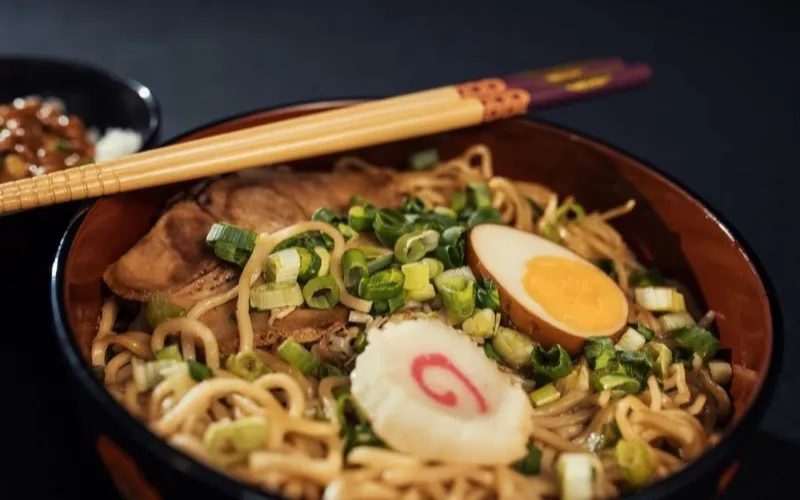
Hidden ramen spots in Tokyo you must try
@tastingtokyo
AI Summary
Six under-the-radar ramen shops across Shinjuku and Shibuya, with the dish to order at each and how to actually find them.
#tokyo#food#travel
Food & TravelMar 12
Auto-capture starts the day you install it. The backlog needs one run: open the saved list you already have, press import, and watch it come across with the captions and the collection names intact.
In short
Bulk import brings across the saves you made before installing Nemivo. You open the saved list you already have on a platform, press the import chip the extension puts there, and it walks the list page by page with the full captions and your named collections intact. It runs in your own browser on your own session, with no password involved.
It runs in your browser, on the session you are already signed into. Nothing is fetched on a server and no credentials change hands.
Your Instagram saved collection, your YouTube playlist, your Reddit saved posts, your X bookmarks. The page you would scroll anyway, on the account you are already signed into.
This is the one place Nemivo puts a control on a platform’s page, and it appears only there. It names the list it is about to bring across, so you can tell "Import saved items" from "Import Recipes".
The page is scrolled and read in passes, with a preview of what has been collected so far, and pause, restart and cancel available the whole way through. You can stop and keep what it found.
Imported saves go through the same enrichment as a live capture: summary, tags, collection. The originals keep their real saved dates, so your library stays in the order you built it.
Each platform page shows the import for that platform: where the list lives, what comes across, and what it cannot see.
A thumbnail grid you cannot search is the thing you are leaving. Importing one into a new app would be pointless.
The whole text a post carries, not the truncated preview the grid shows, because the caption is what the AI has to read.
A named list on the platform arrives as a collection here, so the structure you already built survives the move.
The import runs in the tab you have open. There is no server-side scraping and no password anywhere in it.
If you would rather not run a live import, Instagram’s own data download can be handed to the app as a file and read the same way.
Running an import twice does not double your library. Something already saved is recognised as already saved.
A long backlog is a long scroll. The overlay lets you pause it, start it over, or stop and keep what it has already collected.
It reads the same page you do, which is the reason it is safe and also the reason it has edges.
If a platform hides something from your own saved page, the import cannot reach it either. There is no private API being called on your behalf and no account access being asked for.
The extension runs on Chromium desktop browsers, so the import is something you do at a computer. Saves made on your phone are in the same list, so they come across too.
Every imported save is read one at a time, so a few thousand of them is a queue rather than an instant, and a very large library may not all be read in one go. Nothing is lost: unread saves sit in the library keyword-searchable, and the reading catches up.
An import is a one-time pass over a list. It does not keep watching that list afterwards; that is exactly what auto-capture is for, from the moment it is installed.
The long version, including what is stored and where the AI sits, is on how it works.
The import is a single afternoon. Once the extension is in, every save you make from then on arrives on its own, which is the part you will actually feel.
No tiers to weigh up and no limits to plan around: the trial is the whole product, and Pro is the same thing that keeps running. Your library stays readable and exportable either way.
Built for people who save content every day.
Also included
No credit card · Everything included · Cancel anytime
Your library and your exports stay yours either way · Secure checkout by Polar
No. The import runs inside your own browser on the session you are already signed into. Nemivo never asks for a platform login and never sees one.
Want the mechanism and the limits in full? Read how it works.
Nemivo reads the caption on everything you save, writes the summary, adds the tags and files it away. Months later you ask for it in your own words.
No credit card · Everything included · Cancel anytime
Instagram, YouTube, TikTok, Reddit, X, Pinterest and the other platform names and logos on this page are trademarks of their respective owners. Nemivo is an independent product and is not affiliated with, endorsed by or sponsored by any of them.