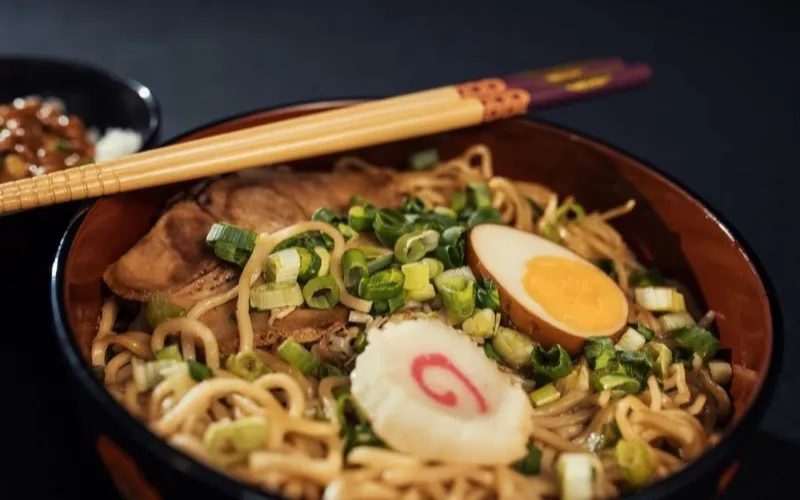
Hidden ramen spots in Tokyo you must try
@tastingtokyo
AI Summary
Six under-the-radar ramen shops across Shinjuku and Shibuya, with the dish to order at each and how to actually find them.
#tokyo#food#travel
Food & TravelMar 12
You have saved a thousand posts and reels into a grid you will never scroll again. Nemivo reads the caption on every one of them and turns it into a summary, tags and a collection, so months later you can just ask for the one you need.
No credit card · Everything included · Cancel anytime
What Instagram keeps
@tastingtokyo hidden ramen spots in tokyo you must try …
What Nemivo keeps
Hidden ramen spots in Tokyo you must try
@tastingtokyo
Six under-the-radar ramen shops across Shinjuku and Shibuya, with the dish to order at each and how to actually find them.
Instagram was built to help you save things. It was never built to help you find them again. That is the part Nemivo does.
Nemivo sits behind Instagram’s own save button. You keep your habit; it does the librarian work. The mechanism, and what it never touches, is on auto-capture.
Chrome, Arc, Edge or any other Chromium browser. Takes about thirty seconds, then you forget it is there.
Added to Chrome
The same icon you already tap on a post or a reel. Nemivo catches it in the background, caption and all. No button of ours, no new habit.
“that ramen place in Shinjuku” is a perfectly good query. Nemivo indexes what the caption means rather than the exact words in it, so you never have to remember how the post was worded.
Short, unedited screen recordings: install, save, import, find. No slideshow, no voice-over promises.
Would rather poke at it yourself? Try the live demo library →
Bring the whole folder with you. Nemivo walks your Instagram saved feed page by page and imports everything that is already in there. Then the AI reads the lot.
Or read how the import works first.
Hidden ramen spots in Tokyo you must try
@tastingtokyo
Six under-the-radar ramen shops across Shinjuku and Shibuya, with the dish to order at each and how to actually find them.
No tiers to weigh up and no limits to plan around: the trial is the whole product, and Pro is the same thing that keeps running. Your library stays readable and exportable either way.
Built for people who save content every day.
Also included
No credit card · Everything included · Cancel anytime
Your library and your exports stay yours either way · Secure checkout by Polar
No. Nemivo never asks for your Instagram login and never sees it. The extension works inside the tab you are already signed into, and only reads a post at the moment you save it.
Want the mechanism and the limits in full? Read how it works.
Your saved posts are on your own profile, under the menu, in a section called Saved. Only you can see them. On the web they are at instagram.com/your-username/saved. Nobody is notified when you save their post.
Instagram has no search over saved posts. The Saved screen has no search field on any platform, and the app’s main search box never looks at what you saved. The workarounds are collections, the browser’s find-on-page on desktop, or moving your saves somewhere that can be searched.
Instagram shows saved posts newest first and gives you no way to reverse it. The only way to reach the oldest ones is to scroll to the very bottom of All posts, which loads in batches. There is no oldest-first setting, on the app or the web.
Nemivo reads the caption on everything you save, writes the summary, adds the tags and files it away. Months later you ask for it in your own words.
No credit card · Everything included · Cancel anytime
Nemivo is an independent product and is not affiliated with, endorsed by or sponsored by Instagram. Instagram and its logo are trademarks of their respective owner.