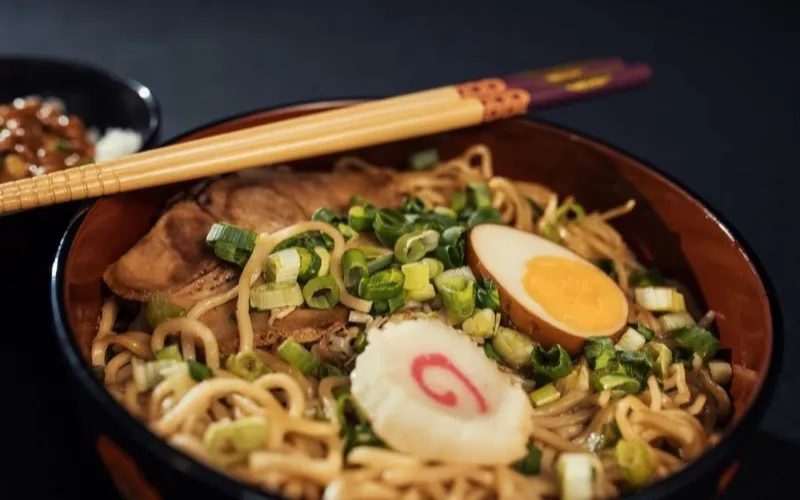
Hidden ramen spots in Tokyo you must try
@tastingtokyo
AI Summary
Six under-the-radar ramen shops across Shinjuku and Shibuya, with the dish to order at each and how to actually find them.
#tokyo#food#travel
Food & TravelMar 12
The palette follows you around the app. Start typing before you have finished remembering: it jumps to collections and views, and searches your saves at the same time, in the same box.
In short
The command palette is Nemivo’s keyboard shortcut, ⌘K on a Mac and Ctrl+K everywhere else. It opens from any page in the app and searches two things at once: the collections and views you might want to jump to, and your saved items themselves, so one keystroke covers both navigating and finding.
Navigation and search are the same gesture, because when you are looking for something you do not yet know which one you need.
From any page in the app, including the middle of a scroll. The search box in the library carries the same shortcut as a visible affordance, so it is discoverable rather than folklore.
Part of a collection name, the word "settings", a creator, a phrase from a post. The palette matches commands and saves at once and shows both, so you do not have to decide which you meant.
Item results come from your real library as you type, with the platform mark and the collection colour beside each one, so you can tell two similar saves apart at a glance.
Arrow keys move, enter opens, escape closes. The mouse is optional from the first keystroke to the last.
Small feature, high mileage: it is the difference between a library you browse and one you use.
⌘K on a Mac, Ctrl+K everywhere else, from any page in the app.
Every collection is a jump target, with its own colour, so a library with forty of them is still one keystroke deep.
Inbox, library, notes, suggestions, settings. The places you move between all day, without the sidebar.
Saves are searched as you type and shown inline, so the palette doubles as the fastest route to one specific thing.
Up and down to move, enter to open, escape to leave. Nothing in the palette needs a pointer.
When something you reach for needs an active plan, the palette says so and opens the plan instead of failing silently.
It is a way to move around quickly, not a second interface with its own powers.
The palette is part of Nemivo, not the browser. It does not open on Instagram or YouTube; on those pages the extension is doing something else entirely.
Palette results come from the same retrieval that powers the library, so it is quick rather than different. The full filters live where there is room for them.
It navigates and finds. Tagging, moving, archiving and the rest happen on the item, where you can see what you are changing.
⌘K is the whole keyboard surface today. There is no configurable keymap and no chord system underneath it.
The long version, including what is stored and where the AI sits, is on how it works.
The palette gets you to the box. What makes the answer good is the search behind it, which matches on meaning rather than on the exact words you typed.
No tiers to weigh up and no limits to plan around: the trial is the whole product, and Pro is the same thing that keeps running. Your library stays readable and exportable either way.
Built for people who save content every day.
Also included
No credit card · Everything included · Cancel anytime
Your library and your exports stay yours either way · Secure checkout by Polar
⌘K on a Mac and Ctrl+K on Windows and Linux, from any page in the app. The library search box shows the same shortcut so you do not have to remember it.
Want the mechanism and the limits in full? Read how it works.
Nemivo reads the caption on everything you save, writes the summary, adds the tags and files it away. Months later you ask for it in your own words.
No credit card · Everything included · Cancel anytime