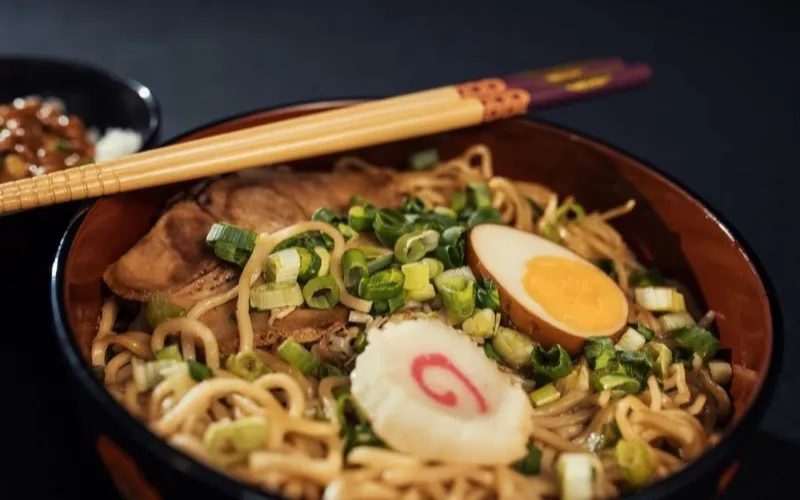
Hidden ramen spots in Tokyo you must try
@tastingtokyo
AI Summary
Six under-the-radar ramen shops across Shinjuku and Shibuya, with the dish to order at each and how to actually find them.
#tokyo#food#travel
Food & TravelMar 12
A library you cannot take with you is a library you are renting. Download the whole thing as a file, including the summaries, tags and everything else the AI worked out on the way in.
In short
Export hands you your whole Nemivo library as a file, on demand and without asking anyone. JSON, CSV and Markdown are all available on every account, and every one of them carries the full set of AI fields: summary, tags, topic, intent, entities, language and confidence. The file carries links rather than media, and it is a snapshot rather than a running sync.
No ticket, no waiting for an email, no "your export is being prepared".
It sits in the app beside your account, not behind a support request. Exporting is a normal thing to do, so it is a normal button.
JSON to keep every field, CSV for a spreadsheet, Markdown to read or paste somewhere else. All three on every account.
A single collection can be exported on its own, which is usually what you want when the export is for someone else rather than for a backup.
Named with today’s date and the scope it covers, generated on request from your current library rather than from a nightly snapshot.
An export that only carried the links would be a bookmarks file. This carries the part that took work to produce.
Link, title, description, creator, platform, media type, the date you saved it, and the collection it belongs to.
Summary, tags, topic, category, intent, subject type, content format, actionability, entities, technologies, language, country, city and confidence.
The export records every collection an item belongs to, not just its primary one, so the structure survives the round trip.
JSON, CSV and Markdown, each generated from the same data rather than converted from one another.
Export everything for a backup, or one collection when you want to hand a specific shelf to someone.
The embedding vectors stay in the database. They are derived data, they are large, and they are of no use anywhere else.
It is a file of your data, produced on demand. It is not a backup service and not a sync.
JSON, CSV and Markdown are all available, with the full AI graph inside the file, and they stay available after a trial ends without a subscription. Walking away with your library is not something worth holding hostage.
The file carries URLs, including the thumbnail URLs. It does not bundle images or videos, which belong to the platforms they came from.
An export is what your library looked like when you pressed the button. Nothing keeps updating afterwards, and there is no scheduled export.
Reading a Nemivo export back in is not a feature today. The import that exists walks a platform’s own saved list instead.
The long version, including what is stored and where the AI sits, is on how it works.
A library worth keeping is one you could leave with tomorrow. Everything the AI wrote is in the file, which is the honest test of whether it was worth anything.
No tiers to weigh up and no limits to plan around: the trial is the whole product, and Pro is the same thing that keeps running. Your library stays readable and exportable either way.
Built for people who save content every day.
Also included
No credit card · Everything included · Cancel anytime
Your library and your exports stay yours either way · Secure checkout by Polar
JSON, CSV and Markdown, all on every account. JSON is the one that keeps every field, so it is the right choice for a backup.
Want the mechanism and the limits in full? Read how it works.
Nemivo reads the caption on everything you save, writes the summary, adds the tags and files it away. Months later you ask for it in your own words.
No credit card · Everything included · Cancel anytime